

-
Sample Data-Articles
- Article Count:
- 26
-
Park Site
- Article Count:
- 1
-
Park Blog
Here is where I will blog all about the parks of Australia.
You can make a blog on your website by creating a category to write you blog posts in (this one is called Park Blog). Each blog post will be an article in that category. If you make a category blog menu link with 1 column it will look like this page, if you display the category description (this part) displayed.
To enhance your blog you may want to add extensions for comments, interacting with social network sites, tagging, and keeping in contact with your readers. You will also enable the syndication that is included in Joomla! (in the Integration Options set Show Feed Link to Show an make sure to display the syndication module on the page).
- Article Count:
- 2
-
Photo Gallery
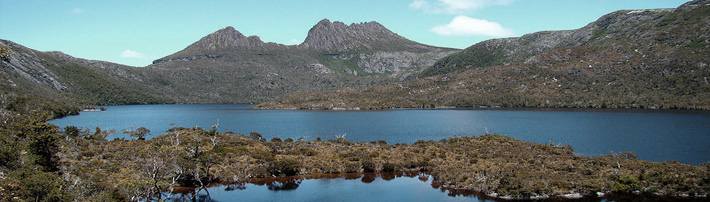
These are my photos from parks I have visited (I didn't take them, they are all from Wikimedia Commons).
This shows you how to make a simple image gallery using articles in com_content.
In each article put a thumbnail image before a "readmore" and the full size image after it. Set the article to Show Intro Text: Hide.
- Article Count:
- 0
-
Fruit Shop Site
- Article Count:
- 3
-
Growers
We search the whole countryside for the best fruit growers.
You can let each supplier have a page that he or she can edit. To see this in action you will need to create a users who is in the suppliers group.
Create one page in the growers category for that user and make that supplier the author of the page. That user will be able to edit his or her page.This illustrates the use of the Edit Own permission.
- Article Count:
- 2
-
Uncategorised
- Article Count:
- 11
-
Buchvorstellungen
- Article Count:
- 15
-
Echo
- Article Count:
- 39
-
Autor
- Article Count:
- 2
-
Lesungen
- Article Count:
- 17
-
Kostproben
Der Anfang ist gemacht!! Die ersten Geschichten sind bereits eingetroffen ...
- Article Count:
- 20